A friend asked me what I was making with my M5 Paper and my response was “Something to fill the Palm Pilot shaped hole in my heart.”
This project is beating all the bad memory usage habits out of me.
Training Wheels
I initially started this project using M5’s UIFlow 2 development tool. It’s a Blockly interface that helps you build software for your devices using the MicroPython libraries. The MicroPython is just wrappers around their C/C++ SDK. The thought was that I had not touched C or C++ since college so I should start out with something easier like Python.
I was wrong. I know way more than I did in college about software development and quickly ran into limitations of in both Blockly programming and using MicroPython. Both of these are set up really well for entry level programmers to tinker. However, I found the documentation and lack of parity with the C libraries to be frustrating. I think the Python around the C is doable but if you have a robust project idea, you need to be using C/C++.
Aside: There is developer making their take on a PDA with an M5 Paper S3. The S3 is a the slightly beefier model with more features. This reddit user has not posted in a bit but you catch their videos on their profile.
The order I learned my languages* is: HTML, CSS, JavaScript, C, PHP, C, Java, Bash, Python, Rust. Going back to C/C has been easier than I expected. My university grades may have been mediocre because of health issues but I definitely learned the material.
*No, I do not want to debate what constitutes a language.
Lessons
Setup and Loop
M5Stack extends existing Arduino and Espressif libraries. If you’re familiar with either of those, getting started is pretty easy. setup() gets called first and then loop() runs until told otherwise, or an unrecoverable exception.
Canvases
One of the big challenges was learning how to use the canvases. The canvas class helps you pre-render a set of graphics in memory and then quickly push them to the display all at once. The naming is a little confusing and how it works is minimally demonstrated.
The canvas is an object that spawns sprites: buttons, and whatever else from the M5GFX library you want to render. It handles one sprite creation at a time but onto the same canvas. So build the entire scene you want to create and then display it when you’re ready.
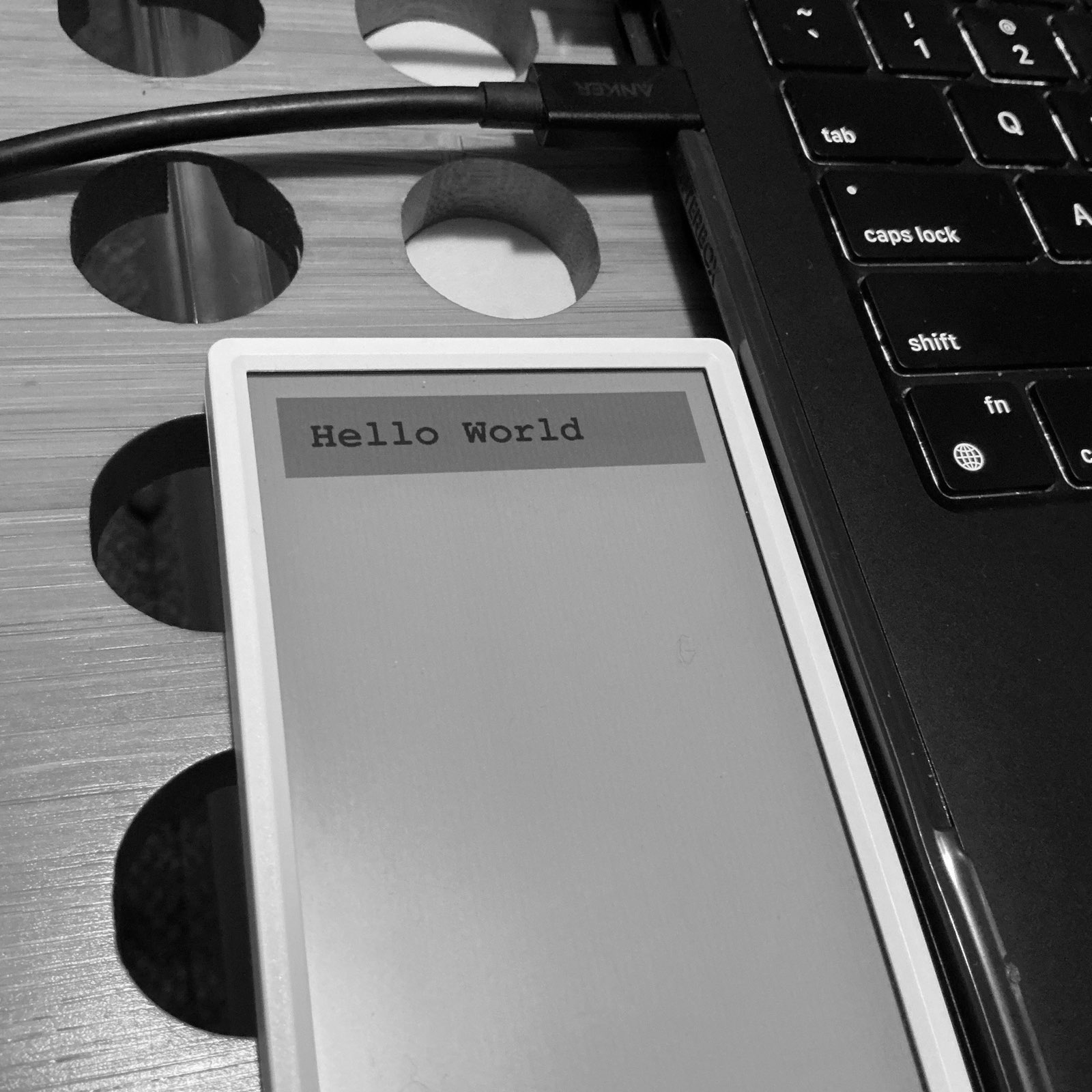
There is not stack or queue with the canvases in the sense that when you’re done with what’s on screen you request canvas.hide(). You can keep drawing over yourself. Here’s an example Arduino sketch and the output it generates:
#include <M5GFX.h>
#include <M5Unified.h>

void setup() {
  M5.begin();

  M5Canvas fancyStuff = M5Canvas(&M5.Display);
  fancyStuff.createSprite( 480, 100 );
  fancyStuff.fillSprite( 0xfcfcfc );
  fancyStuff.setTextColor( TFT_BLACK );
  fancyStuff.setFont( &fonts::FreeMonoBold24pt7b );
  fancyStuff.drawString("Hello World",30,30);
  fancyStuff.pushSprite(30,30);
}

void loop() {
  M5.update();
  delay(500);
}
|
|
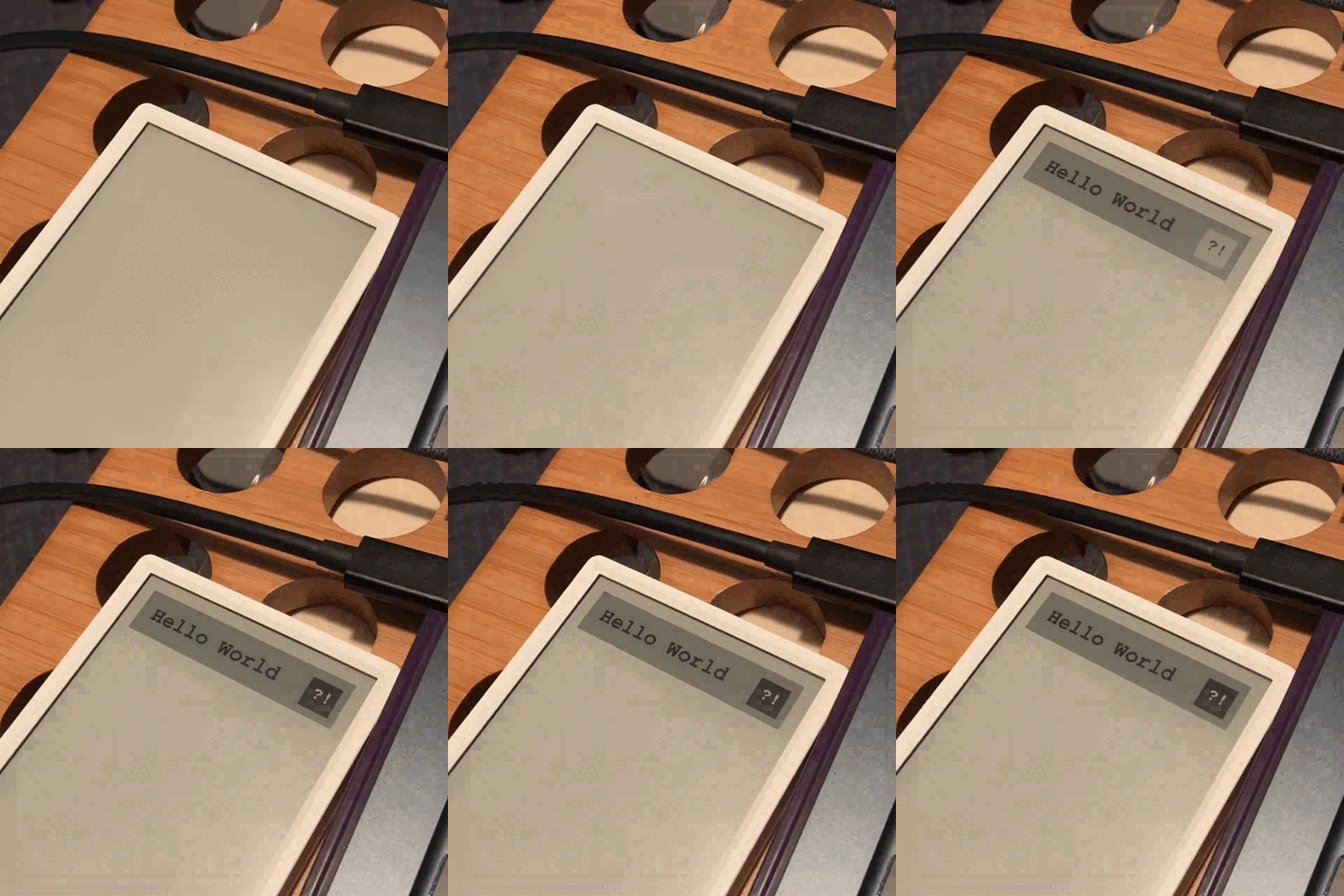
You don’t have to make a new canvas for everything you want to display. The canvas is reusable. However, please note that you can queue up a bunch of sprites and push them together. If you do them in series, they will draw in series.
...
  M5Canvas fancyStuff = M5Canvas(&M5.Display);
  fancyStuff.createSprite( 480, 100 );
  fancyStuff.fillSprite( 0xfcfcfc );
  fancyStuff.setTextColor( TFT_BLACK );
  fancyStuff.setFont( &fonts::FreeMonoBold24pt7b );
  fancyStuff.drawString("Hello World",30,30);
  fancyStuff.pushSprite(30,30);

  fancyStuff.createSprite(64,64);
  fancyStuff.fillSprite( TFT_BLACK );
  fancyStuff.setTextColor( TFT_WHITE );
  fancyStuff.setFont( &fonts::FreeMonoBold18pt7b );
  fancyStuff.drawString("?!",13,16);
  fancyStuff.pushSprite(430,50);
...
|
|
E-ink Mechanics
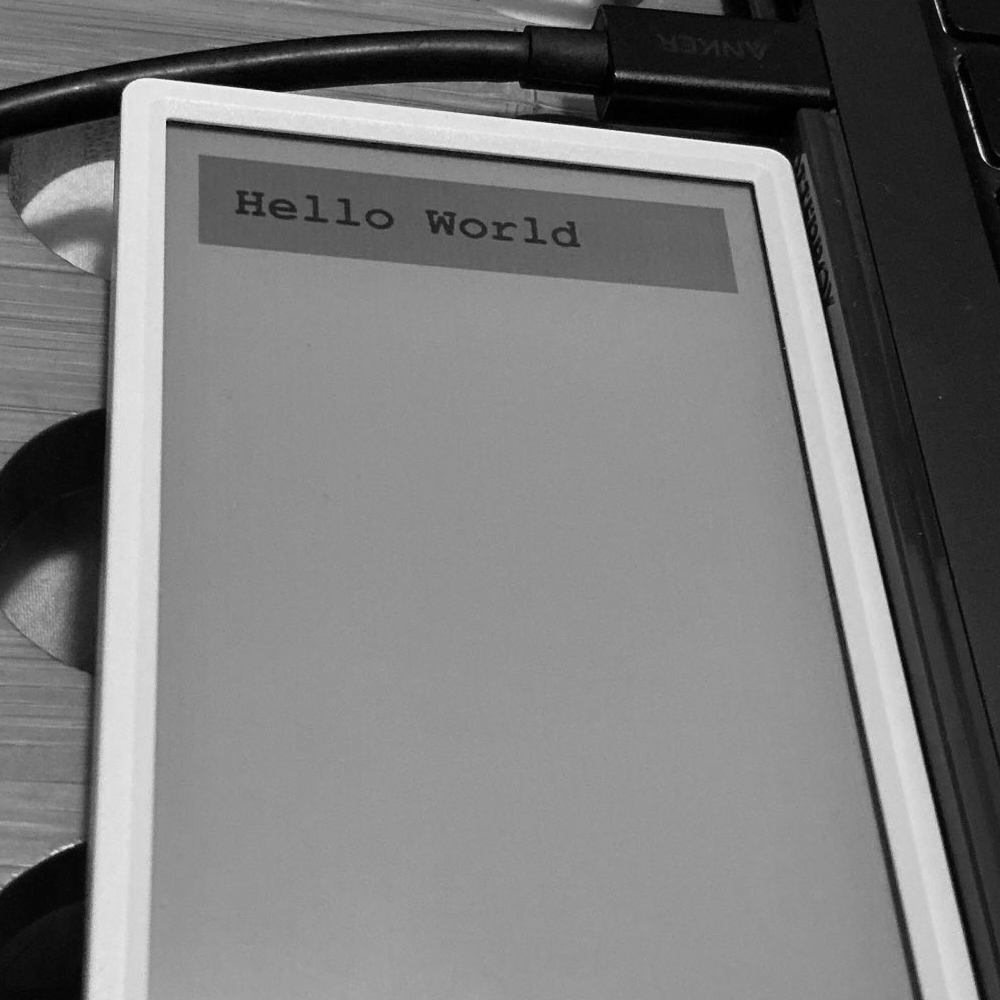
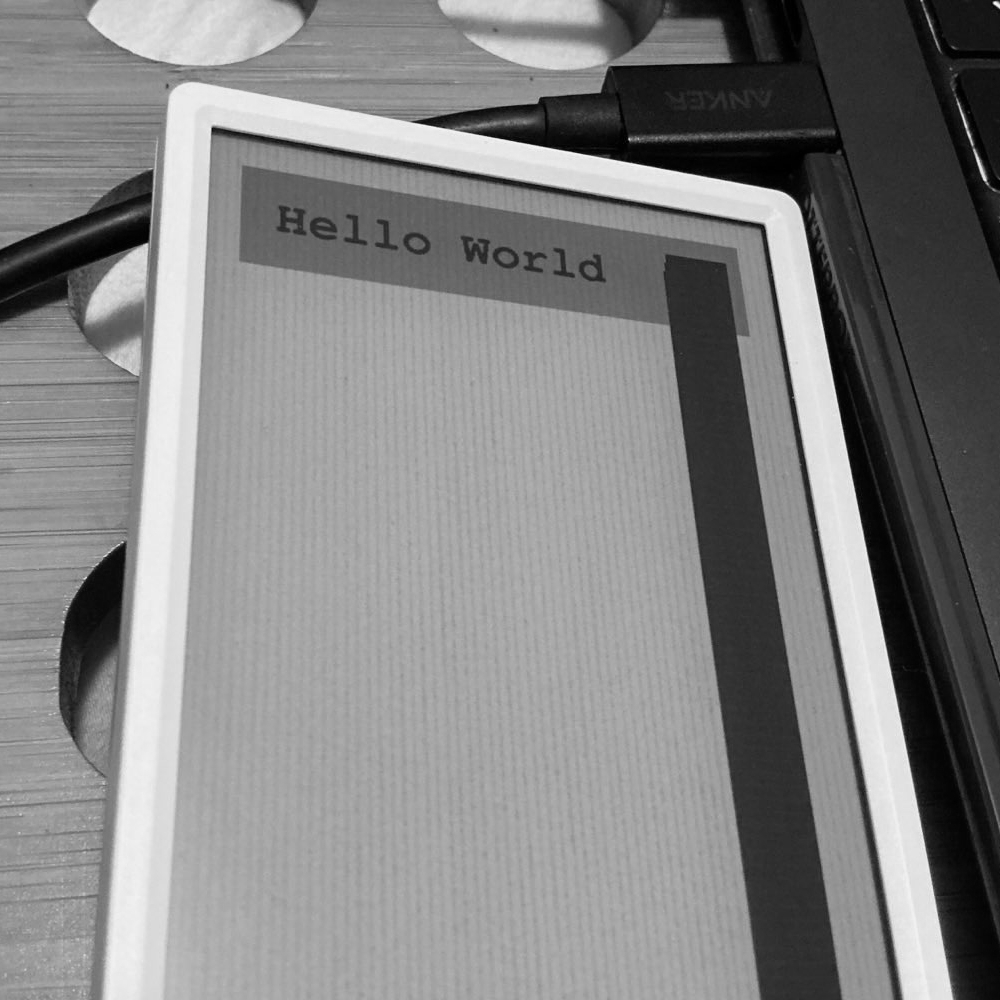
Another thing that find important to note is that screen degrades with each partial redraw. Part of the way the M5 Paper draws is with lines that run the length of the screen. If you do a lot of partial redraws its becomes more clear where these are over time. Depending on your use case, this might not matter that much because you’re doing full draws of the screen often enough.
Here is a comparison of just the hello world header drawn versus the hello world header and overlapping boxes. I drew sequentially 100 black boxes down the side of the screen. The only editing on this images is cropping.
|
|
A lot of the color defaults for the SDK are white foreground on a black background and I wonder if that is to hide some of this.
|
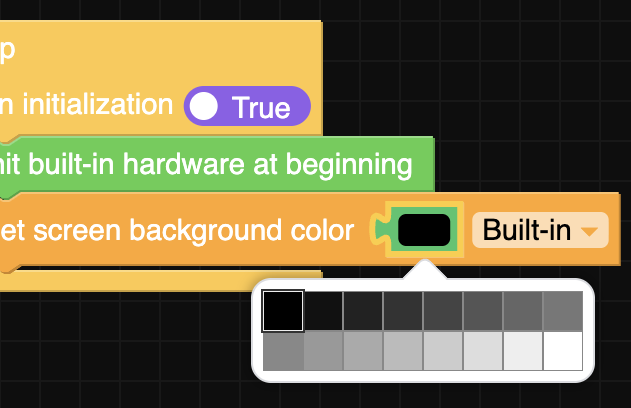
16 colors? Yeah, that's just each number 0-15 in hex. |
Arduino, JetBrains, and Platform.io
The IDE from Arduino is a great entry level IDE. It’s enough to get things done and makes board and device support relatively easy. That said, I did also try JetBrains’ C-Lion with Platform.io and that is really slick. I’ve always been of fan of JetBrains’ different IDEs and that combo is no exception. That’s the full featured IDE experience I’m used to as a professional developer.
Platform.io does not have full support for the M5 Paper and I had to use the profile of a board with similar specs, the LilyGo T-Display. That device does not have an SD card slot so I was blocked from getting too far.
I open a ticket requesting device support though, which you can read on GitHub. If you would also like to see support for the M5 Paper, please star or comment on my ticket. Depending how they impliment it there may need to be a separate request for the M5 Paper S3.
Fun with M5GFX
A lot of the documentation is the example code. So unless you go through all the examples and click through all the API pages, you might not catch it all.
-
Fonts: There are more fonts than UI Flow 2 lets on. You can find the full font list available on the library’s appendix page.
-
Colors: There are defined constants for common colors you can use but these are not all the colors. Depending on the capabilities of your display, you can also just enter the hex code for the color.
-
Bookmark this page: M5GFX API Catalog, which lists all the canvas/display related functionality. Pay attention as a lot of function have multiple definitions.
-
Gotcha: If you rotate the screen from UI Flow 2, it will rotate only display. You have to rotate your canvases separately. It also does not rotate the coordinates for touch events.
-
Gotcha: UI Flow 2 does not have any buttons, but the C/C++ SDK does. In C/C++, you can write
(this psuedo code) button.contains( touch.x, touch.y )and it will let you know if hit the button.
Where am I?
During my Python adventures, I wrote a class to handle data in hashmaps. I realized that I won’t be making up my mind anytime soon on what data to store so I may as well just have entries be different types of maps. I have started porting it to C/C++.
Currently I am working on a class to help me do time related functionality. I have the device, when it’s starting up, join my wifi network and sync with an NTP server. Now I’m trying to get the current date and time in my preferred formats. If I don’t bored with the time library, I’ll also try to get some time math working. I’d like to be able to questions like when is one week from now or when was 4 days ago.
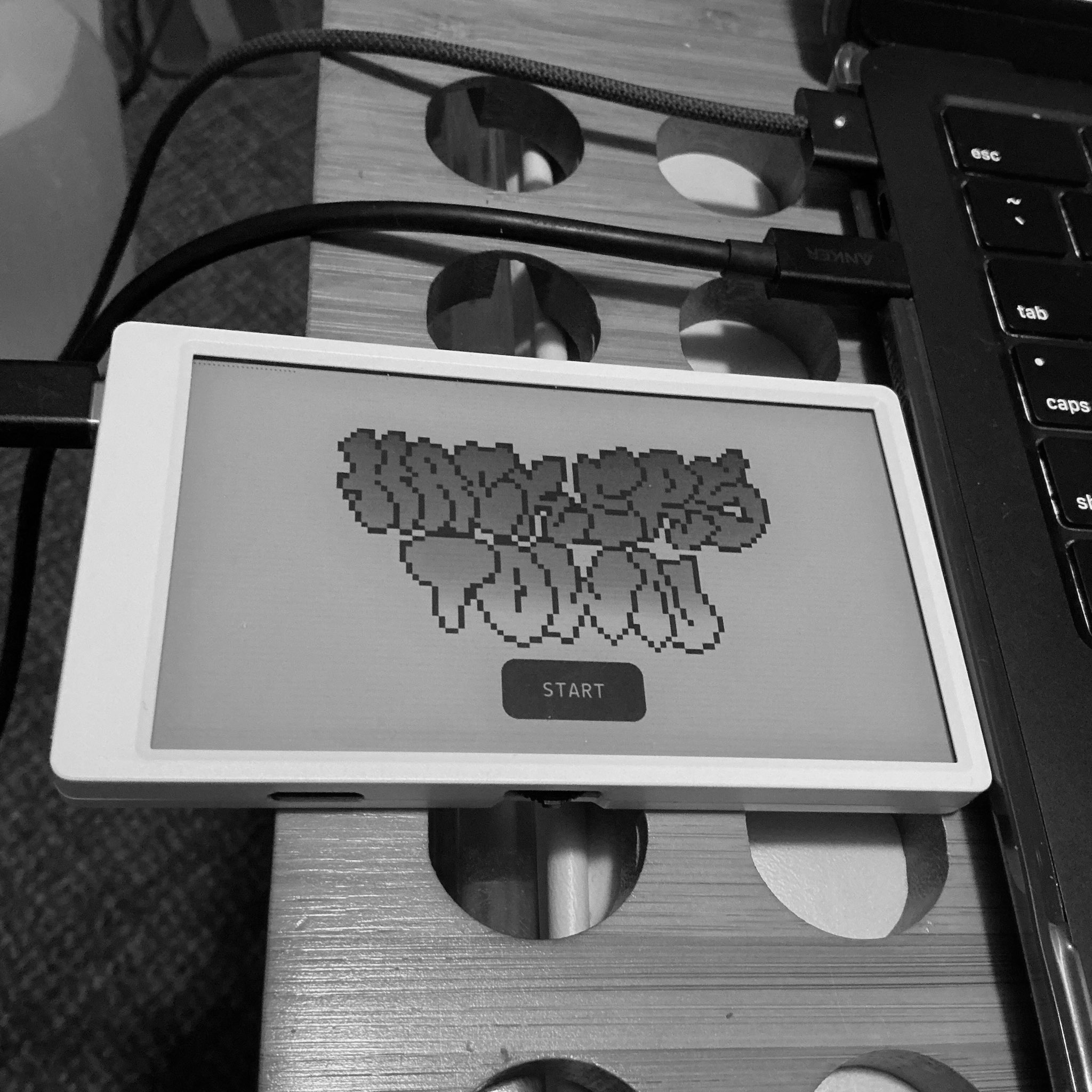
| Right now, on boot, the app pauses at a splash screen and doesn’t continue until you hit start. I made some mistakes that would cause a crash and reboot cycle. So the pour thing wouldn’t get stuck doing that, I added the splash screen. Plus, it looks rad as fuck with this artwork from RevengeDay. |
|
Memory Limits
I knew going in that memory limitations were going to be a thing. However it has been an amusing challenge do less. No less than that. Keep going. Ha! Also, I have a tendency to take things literally so the process of over thought code being reduce down to "if it looks right that's enough."
Where am I going?
Another power related quality of life item I would like is to be able to know when the device puts itself to sleep. However, the M5 Paper does not have a PMIC (Power Management Integrated Circuit), so I think I just need to specify the interval myself, and then right before that time, display a “I’m sleeping” splash screen. Also, I need something similar for shutting down.
Speaking of the sleep/power screens, one idea a friend gave me was to leave notes for yourself on the screen. That might be a feature out of the notebook, where you could pin a page to the sleep screen for reference.
Bye!
Thank you reading my post. If it felt like it was all over the place, it’s because I’m still bouncing all over trying to get my footing on the platform. I’m hoping now that I have some traction, I can make more purposeful strides forward.